How to backup your MySQL database?
You
should ALWAYS keep regular backups of your MySQL database
1. Load your Plesk Control
Panel.
This can normally be found at https://www.youdomain.com:8443
if you did not know already.
2. Login to the Plesk Control
Panel with your username and password
3. Click the 'Databases'
button once you have logged in.
4. You should now see this:
5. Click the database name you wish to backup
6. Click the 'phpMyAdmin' button on the right
of the next screen
7. You should now have a window pop-up loading
phpMyAdmin
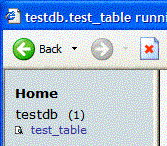
8. Click your database name in the left coloumn
(in this case, 'testdb')
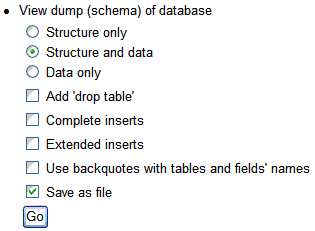
9. Towards the end of the page on the right,
you will see the following option:
10. Click on 'Structure and Data' and 'Save as
file', like above.
11. Click 'Go', and you will be presented with
a .sql file to download.
12. Save the file to your hard drive, and give
it a memorable name
You have now sucessfully backed up your MySQL
database.